
In this tutorial we will discuss how to reverse a string in java . Although there are many ways to get the solution but we are sharing 5 different ways to reverse a string. This question is frequently asked in the technical interview of java.This question is easy , but please mark this question in your to do list before attending any technical interview in java. First we will understand the question by writing example.
Input : malayalam
Output: malayalam
Input : akbar
Output : rabka
Points to Keep in Mind Before attempting the Solution:
1. String class in java do not have reverse() method , StringBuilder class does have built in reverse() method.
2. StringBuilder class do not have toCharArray() method , while String class does have toCharArray() method.
Pseudo Code for Reverse String Method 1:
1. The user will input the string to be reversed.
2. First we will convert String to character array by using the built in java String class method toCharArray().
3. Then , we will scan the string from end to start, and print the character one by one.
Pseudo Code for Reverse String Method 2:
1. In the second method , we will use the built in reverse() method of the StringBuilder class ,.
Note : String class does not have reverse() method . So we need to convert the input string to StringBuilder , which is achieved by using the append method of the StringBuilder.
2. After that print out the characters of the reversed string by scanning from the first till the last index.
Pseudo Code for Reverse String Method 3:
1. Convert the input string into character array by using the toCharArray() built in method of the String Class .
2. In this method we will scan the character array from both sides , that is from the start index (left) as well as from last index(right) simultaneously.
3. Set the left index equal to 0 and right index equal to the length of the string -1.
4. Swap the characters of the start index scanning with the last index scanning one by one .After that increase the left index by 1 (left++) and decrease the right by 1 i.e (right--) to move on to the next characters in the character array .
5. Continue till left is less than or equal to the right .
Pseudo Code for Reverse String Method 4:
1. Convert the input string into the character array by using toCharArray() built in method.
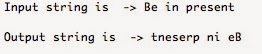 2. Then add the characters of the array into the LinkedList object . We used LinkedList because it maintains the insertion order of the input values.
3. Java also has built in reverse() method for the Collections class . Since Collections class reverse() method takes a list object , to reverse the list , we will pass the LinkedList object which is a type of list of characters.
4. We will create the ListIterator object by using the listIterator() method on the LinkedList object.
ListIterator object is used to iterate over the list.
5. ListIterator object will help us to iterate over the reversed list and print it one by one to the output screen.
Pseudo Code for Reverse String Method 5 :
1. The last method is converting string into bytes . getBytes() method is used to convert the input string into bytes[].
2. Then we will create a temporary byte[] of length equal to the length of the input string.
3. We will store the bytes(which we get by using getBytes() method) in reverse order into the temporary byte[] .
Input : malayalam
Output: malayalam
Input : akbar
Output : rabka
Points to Keep in Mind Before attempting the Solution:
1. String class in java do not have reverse() method , StringBuilder class does have built in reverse() method.
2. StringBuilder class do not have toCharArray() method , while String class does have toCharArray() method.
Pseudo Code for Reverse String Method 1:
1. The user will input the string to be reversed.
2. First we will convert String to character array by using the built in java String class method toCharArray().
3. Then , we will scan the string from end to start, and print the character one by one.
import java.io.*;
import java.util.*;

public class reverseString {
    public static void main(String[] args) {
        String input="";
        System.out.println("Enter the input string");
        try
        {
            BufferedReader br = new BufferedReader(new InputStreamReader(System.in));
            input = br.readLine();
            char[] try1= input.toCharArray();
            for (int i=try1.length-1;i>=0;i--)
            System.out.print(try1[i]);
        }
        catch (IOException e) {
            e.printStackTrace();
        }
}}
Pseudo Code for Reverse String Method 2:
1. In the second method , we will use the built in reverse() method of the StringBuilder class ,.
Note : String class does not have reverse() method . So we need to convert the input string to StringBuilder , which is achieved by using the append method of the StringBuilder.
2. After that print out the characters of the reversed string by scanning from the first till the last index.
import java.io.*;
import java.util.*;

public class reverseString {
 public static void main(String[] args) {
  String input="AliveisAwesome";
  StringBuilder input1 = new StringBuilder();
  input1.append(input);
  input1=input1.reverse();
  for (int i=0;i<input1.length();i++)
  System.out.print(input1.charAt(i));
 }}
Pseudo Code for Reverse String Method 3:
1. Convert the input string into character array by using the toCharArray() built in method of the String Class .
2. In this method we will scan the character array from both sides , that is from the start index (left) as well as from last index(right) simultaneously.
3. Set the left index equal to 0 and right index equal to the length of the string -1.
4. Swap the characters of the start index scanning with the last index scanning one by one .After that increase the left index by 1 (left++) and decrease the right by 1 i.e (right--) to move on to the next characters in the character array .
5. Continue till left is less than or equal to the right .
import java.io.*;
import java.util.*;

public class reverseString {
 public static void main(String[] args) {
    String input = "Be in present";
    char[] temparray= input.toCharArray();
    int left,right=0;
    right=temparray.length-1;
    for (left=0; left < right ; left++ ,right--)
    {
     // Swap values of left and right
     char temp = temparray[left];
     temparray[left] = temparray[right];
     temparray[right]=temp;
    }
    for (char c : temparray)
     System.out.print(c);
    System.out.println();
   }}
Pseudo Code for Reverse String Method 4:
1. Convert the input string into the character array by using toCharArray() built in method.
3. Java also has built in reverse() method for the Collections class . Since Collections class reverse() method takes a list object , to reverse the list , we will pass the LinkedList object which is a type of list of characters.
4. We will create the ListIterator object by using the listIterator() method on the LinkedList object.
ListIterator object is used to iterate over the list.
5. ListIterator object will help us to iterate over the reversed list and print it one by one to the output screen.
import java.io.*;
import java.util.*;

public class reverseString {
 public static void main(String[] args) {
     String input = "Be in present";
     char[] hello=input.toCharArray();
     List<Character> trial1= new LinkedList<>();
     for(char c: hello)
     trial1.add(c);
     Collections.reverse(trial1);
     ListIterator li = trial1.listIterator();
     while(li.hasNext())
    {System.out.print(li.next());}
   }}
Pseudo Code for Reverse String Method 5 :
1. The last method is converting string into bytes . getBytes() method is used to convert the input string into bytes[].
2. Then we will create a temporary byte[] of length equal to the length of the input string.
3. We will store the bytes(which we get by using getBytes() method) in reverse order into the temporary byte[] .
package ctci;
import java.io.*;
import java.util.*;

public class reverseString {
 public static void main(String[] args) {
  String input = "Be in present";
  byte [] strAsByteArray = input.getBytes();
  byte [] result = new byte [strAsByteArray.length];

  for(int i = 0; i<strAsByteArray.length; i++){
  result[i] = strAsByteArray[strAsByteArray.length-i-1];
  }
  System.out.println( new String(result));
   }}


